
Illustrative data · Role-aware multi-application operations platform
Unified Operations Portal
Teams can reach the operational tools they are authorised to use from one consistent entry point instead of navigating separate applications and disconnected processes.
Context
For whom
Designed for internal teams across operations, finance, administration and management that need different tools but a consistent way to access and use them.
- One entry point for multiple operational workflows
- Access appropriate to each person's responsibilities
- Clear review, approval and audit steps for higher-care work
The starting point
Why it was needed
Separate legacy applications, spreadsheets and manual hand-offs created an inconsistent experience and repeated access, support and administration work.
- Users had to find and learn separate tools for related processes
- Access and administration were repeated across applications
- Imports, approvals and operational exceptions relied on disconnected follow-up
What changed
The solution
Eleva shaped the work into a shared portal shell with corporate sign-in, application-specific permissions and reusable interaction patterns around each operational workflow.
- A single launcher for authorised business applications
- Role-aware navigation and server-side application access
- Operational dashboards, document review and approval workflows
- Shared administration, activity tracking and responsive layouts
Workflow comparison
Before and after
Before
- Operational tools were reached and managed separately.
- Similar access and support concerns were solved repeatedly.
- Manual hand-offs made workflow status harder to follow.
After
- One portal provides a consistent entry point across operational applications.
- Application-specific permissions preserve separation of responsibilities.
- Review, approval and activity evidence remain connected to the workflow.
Evidence in context
Project walkthrough
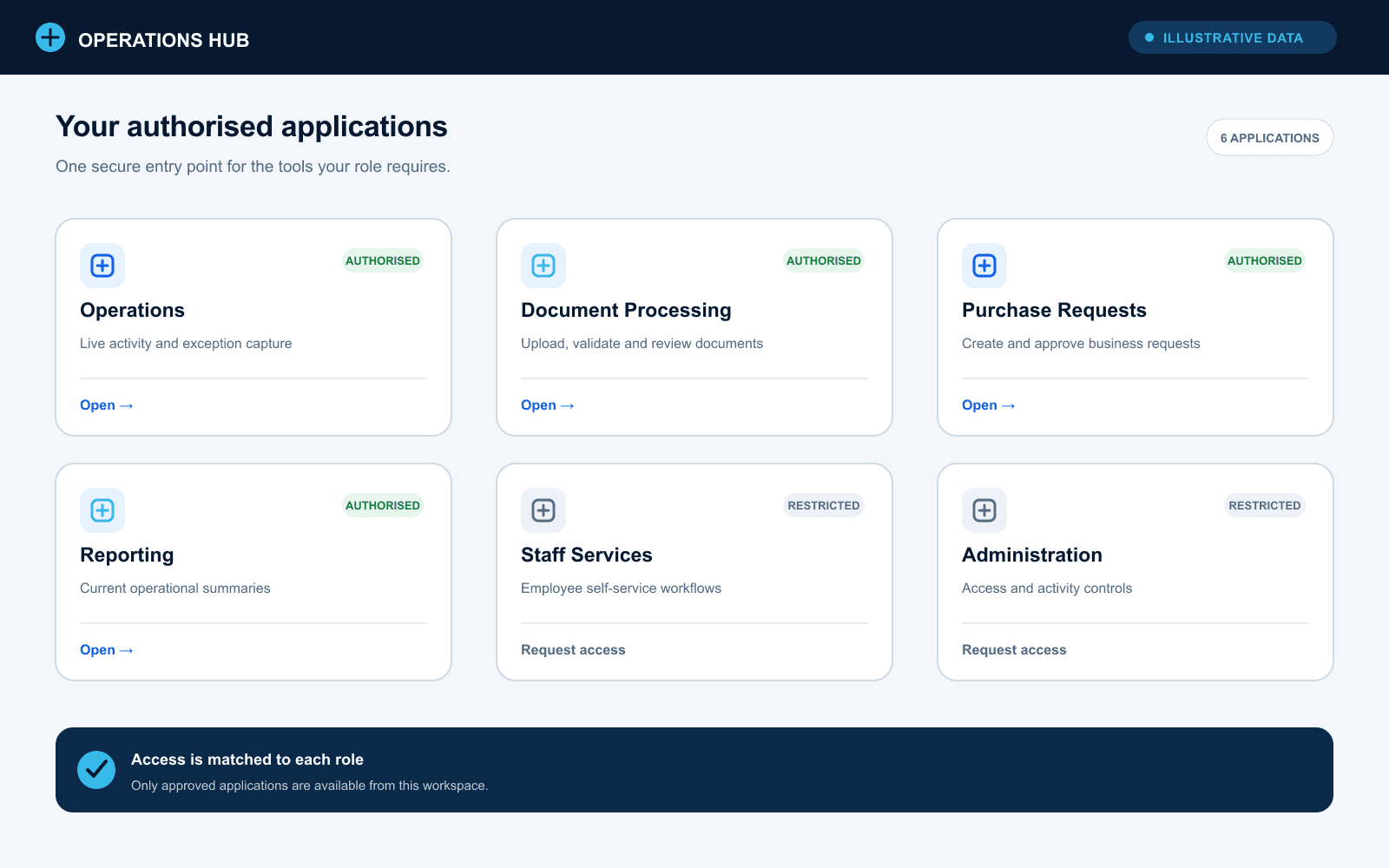
01 · Application launcher
The illustrative launcher shows how authorised tools can be reached from one consistent entry point without exposing the private application registry.
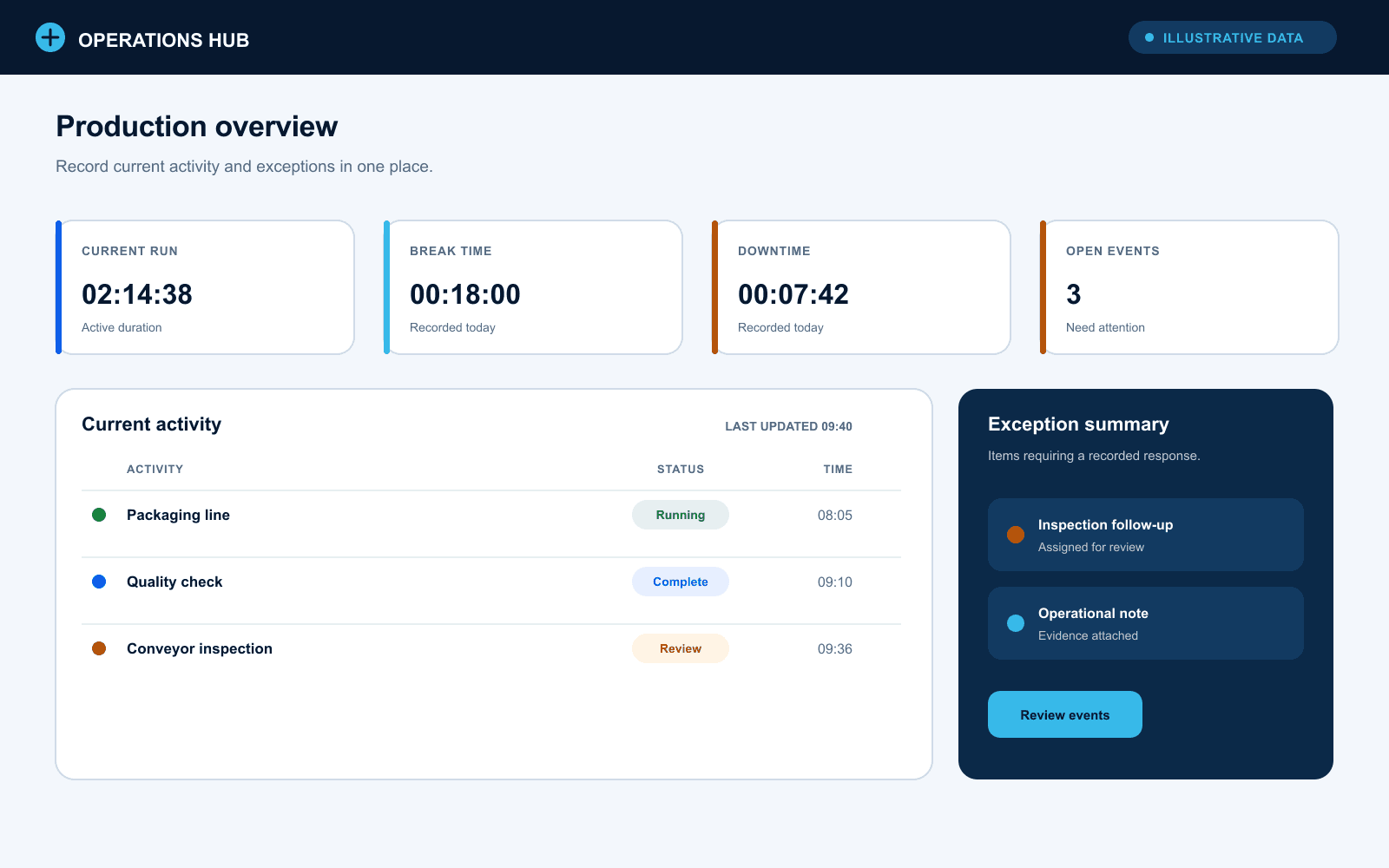
02 · Production overview
A focused operational view brings live activity and exception capture into the same workflow while the displayed values remain entirely fictitious.
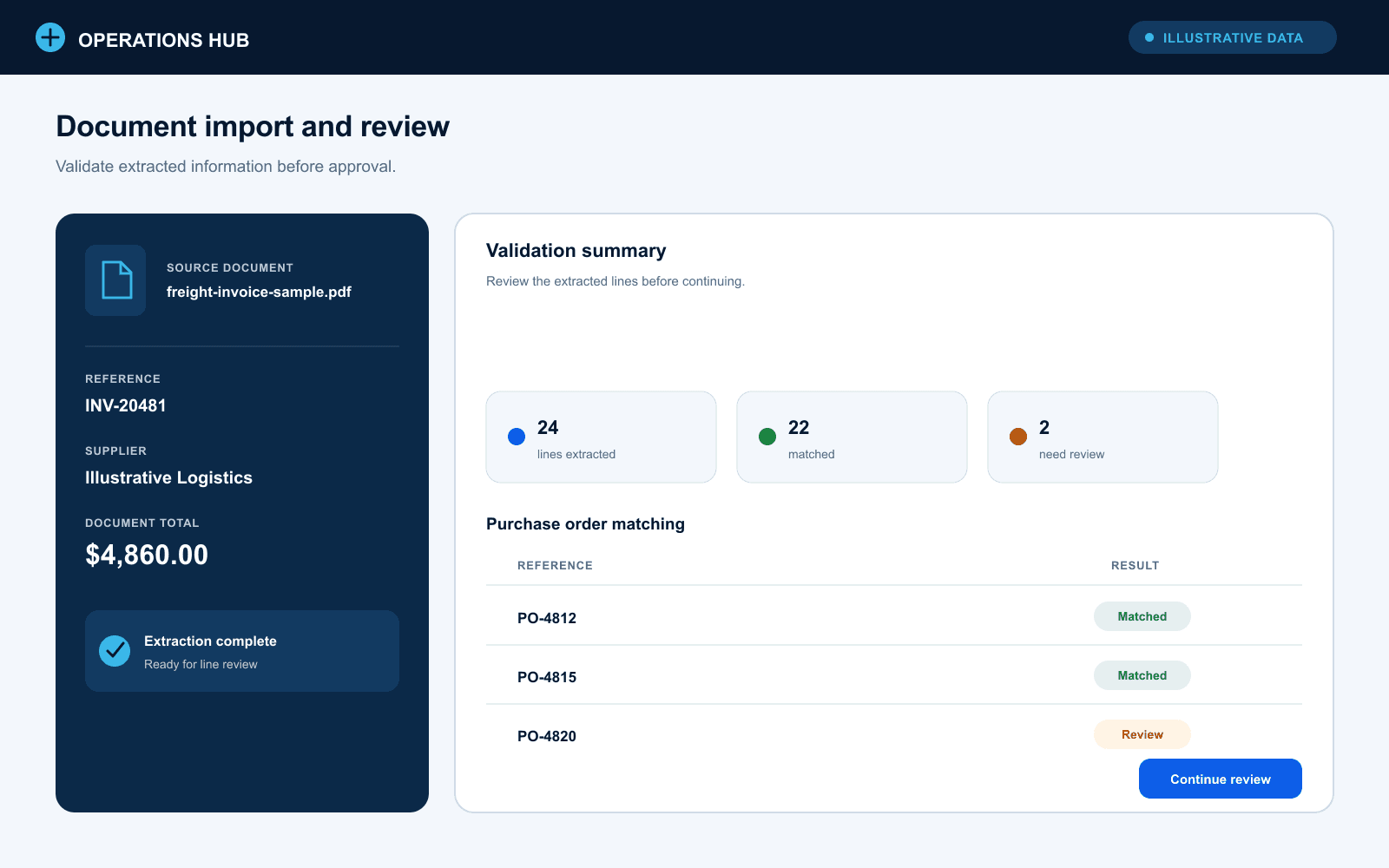
03 · Document import and review
The illustrative review step makes validation and matching visible before a document can move further through the process.
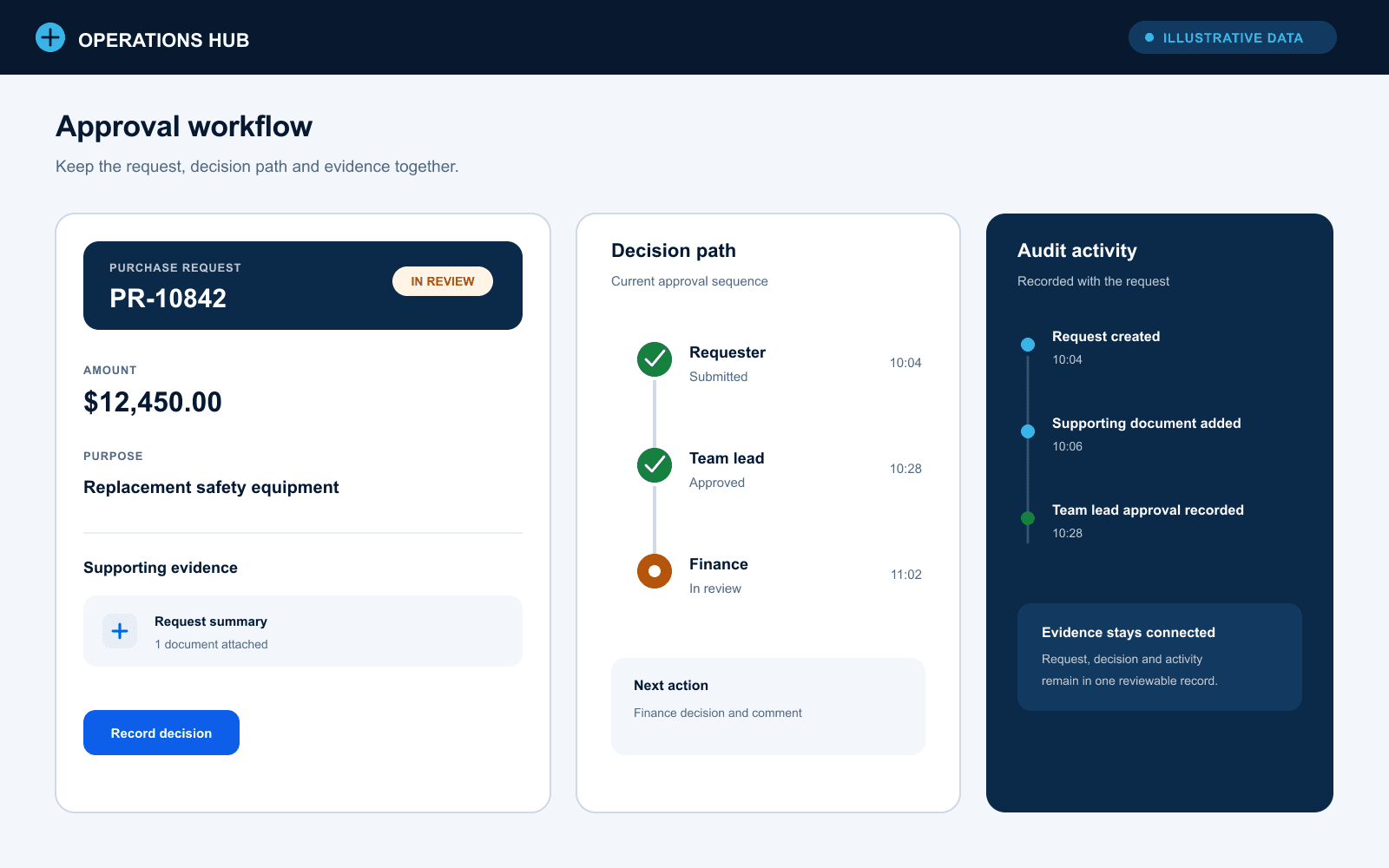
04 · Approval workflow
A controlled approval view keeps the request, decision path and activity evidence together instead of relying on separate follow-up.
Fit before fashion
Technology and why
ASP.NET Core
- Requirement
- A maintainable boundary for multiple internal applications
- Why it fits
- A modular .NET fits corporate hosting, authentication and server-controlled workflow rules.
- Resulting benefit
- Shared services and consistent protection without placing sensitive decisions in the browser.
React and TypeScript
- Requirement
- Responsive interfaces for varied operational workflows
- Why it fits
- Reusable typed components support dashboards, forms, reviews and administration inside one application shell.
- Resulting benefit
- Consistent interaction patterns across otherwise different tools.
SQL Server and Dapper
- Requirement
- Relational operational data and controlled workflow mutations
- Why it fits
- SQL Server fits the existing enterprise data environment, while Dapper keeps database contracts and stored-procedure calls explicit.
- Resulting benefit
- Operational records and higher-care writes remain server controlled.
Windows Authentication
- Requirement
- Low-friction access for authorised corporate users
- Why it fits
- Negotiated corporate identity provides automatic sign-in without a separate portal password.
- Resulting benefit
- Identity is consistent while access remains scoped per application.
React Query
- Requirement
- Predictable loading, refresh and mutation behaviour across many operational screens
- Why it fits
- Shared query and invalidation patterns suit dashboards, history, approvals and administrative lists.
- Resulting benefit
- Current workflow state can be refreshed consistently across modules.
Illustrative data
Security and privacy
Every public image in this case study is synthetic and uses fictional people, organisations, references and operational values. It is not connected to the private portal or its data.
- Corporate identity remains outside the public case study
- Application-specific access decisions stay on protected server boundaries
- Approval and activity evidence remain scoped to authorised workflows
- Fully illustrative public screenshots
Outcome
One controlled entry point for many operational workflows
The portal creates a consistent experience across distinct business applications while retaining the permissions, controls and workflow detail each area requires.
- Unified application access
- Role-aware operational workflows
- Reviewable activity and decisions
A similar process?
Start with the work that needs to become clearer
If Unified Operations Portal reflects a workflow your team is managing through spreadsheets, email or repeated follow-up, describe the process. No technical brief is required.
Talk through your process